


- Stock: In Stock
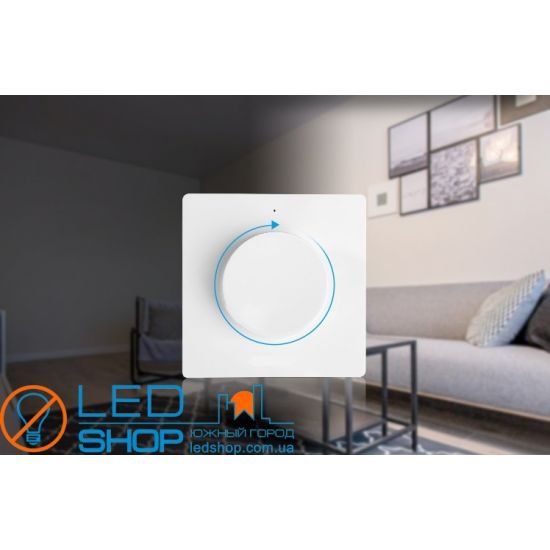
- Model: Touch К1-W

- Very simple and stylish interface.
- Adjustment of brightness/color temperature of the glow using a rotary knob.
- Remote (2.4GHz) control (up to 30m).
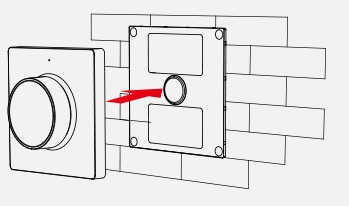
- Magnetic mount.
- An unlimited number of signal receivers can be configured for each Dimmer.
- Ideal for remote control of mono-color and bi-color (CCT) LED strips, and in conditions where it is not possible to install wired dimmers.
- Recommended for use in cafes, restaurants, shops, private interiors.
Used to control receivers – dimmers Touch Dim-4DS-Res, Touch Dim-4D-Res; Touch Dim-4DU-Res, Triac Dim 2.
|
Control:
- Switch on/off by short pressing of the rotary knob.
- Turn the knob to adjust brightness.
- A long press (with the light on) switches to color temperature adjustment mode (when controlling a two-color strip via Touch 4CS-res receivers). After this, rotating the button adjusts the color temperature, and after 3 seconds of inactivity, the dimmer returns to normal brightness adjustment mode.
- Long press (when the light is off) - switch to night mode (weak glow).

ATTENTION: You may initially need to configure the remote control to the receiver. To do this, immediately (within 3 seconds) after connecting power to the receiver, press the SET button (on the back of the panel) three times within 3 seconds. The light should flash smoothly three times, indicating that the connection between the receiver and the remote control has been established. If this does not happen, unplug the light and repeat the process after 10 seconds.
To delete the established connection between the receiver and the remote control, you must immediately (within 3 seconds) after connecting power to the receiver, press the SET button (on the back of the panel) five times in a row within 3 seconds. After this, the lamp should make 10 light flashes - this means the connection between the receiver and the remote control has been deleted.
*To connect Triac Dim 2, please read the Triac Dim 2 instructions.
Installation.
1. Attach the mounting panel (included) to the surface using self-adhesive tape or screws.
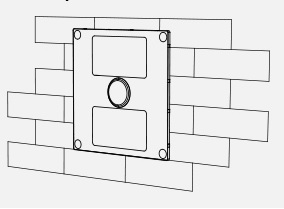
2. Install the CR2032 battery.

3. Install the Dimmer Panel onto the mounting plate using the magnetic mount.
Equipment:
Dimmer, instructions.
12 months warranty
Also buy with this